
How to create a service referral
Author: Ran | Date Created: 10/01/2025 | Date Updated: 12/30/25
What this is
This article explains how Hennepin Shelter Hotline (HSH) users can create a service referral for those who are doubled up (staying temporarily with others) to prevention services in HMIS.
A service referral is a way to connect clients to another provider for support. It is different from a PATH referral or a Coordinated Entry referral.
What you need to know
Referrals are documented requests for another agency to provide services. Referrals help ensure clients receive the right resources based on their needs and eligibility.
How to create a referral from Hennepin Shelter hotline
- From the Client Workspace, begin an enrollment using the Hennepin Shelter Hotline workflow.
- Complete intake forms for all clients.
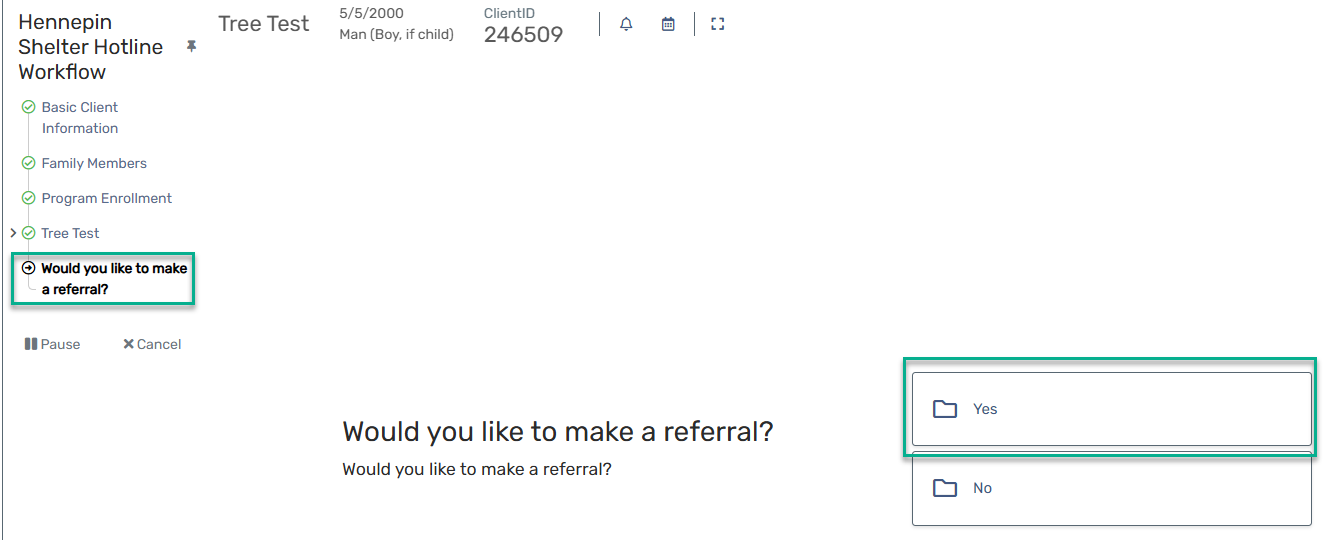
- When asked “Would you like to make a referral?” click "Yes".
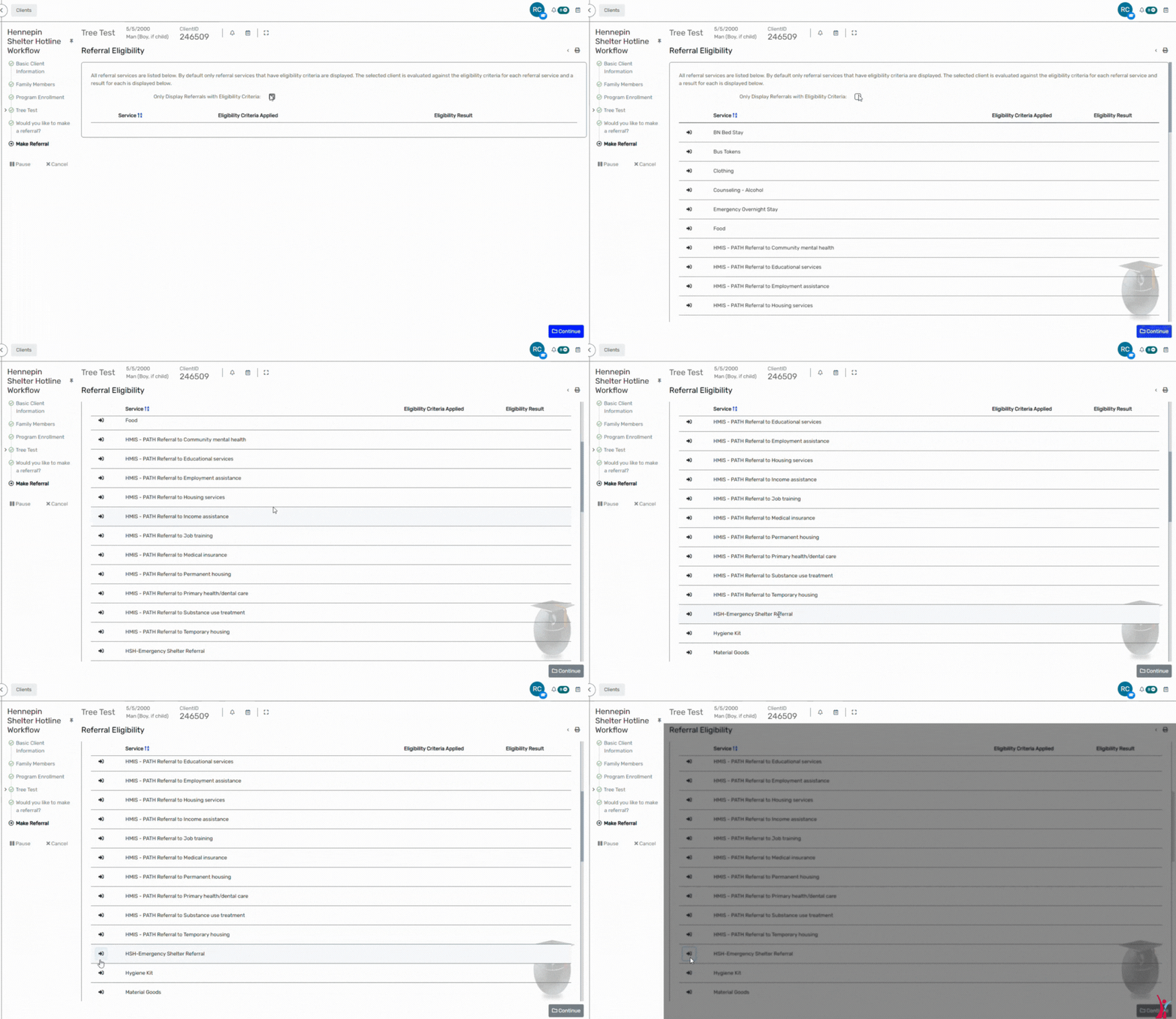
4. On the Referral Eligibility screen, choose the referral service for the client and click Continue.

- On the Referral screen, add an end date to the referral. This should be the next day.
- Click the magnifying glass icon next to “Refer to Provider.”
- Search for the provider and select them from the results list.
- Fill out the Referral Source section:
- Refer from Provider: auto-fills from your user settings
- Status: choose Referral Made
- Enrollment: make sure the referral links to the client’s HSH enrollment
- Click Next.
- On the Voucher and Information Release screen, check Email Authorized to send the referral by email.
- Click Next, then click Finish on the Referral Outcome screen.
- An email pop-up appears with the provider’s address and a standard message. Click Send.