
How to run the Coordinated Entry (CE) APR
Date Created: December 12, 2026 |
What this is
This article contains instructions on how to run the Coordinated Entry (CE) APR.
What you need to know
All HUD CoC program SSO-CE grant recipients are required to submit the CE APR. The CE APR CSV is a system-wide report and must be generated on the entire CE system in your COC.
Follow these steps
- Go to the report workspace and find the CSV CE APR 2026 under the HUD/HMIS Reports folder

- Complete the report prompts (required fields are bolded and marked with a red asterisk)
- Date Range: enter the dates for your reporting period
- Organization: choose all the org listed
- Continuum of Care
- choose your CoC
- Official HUD Export for SAGE: if you are running this for you Sage upload, check this box
- Programs: select the programs you wish to include. If you are running this for you Sage upload, check all
- click "Run Export" button
- When the box pops up, uncheck "Encrypt Export" and check "I assume full responsibility....". then click "Done"

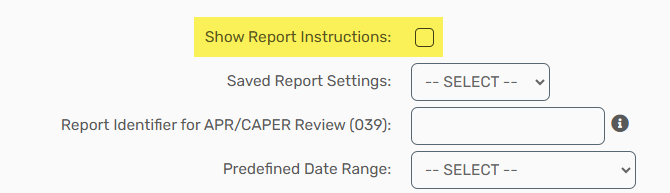
🚨Helpful Tip! : For more instructions on each prompt select the Show Report Instructions box at the top of the report.
When you are done
- Once your report you done running, you will want to go to Files on Server and click and download the export. There will be four files but you want to download the one with the name HMIS CE APR 2026 Export_[Date, Time & TaskID].zip

- Upload the file you download to Sage.
DO NOT open the folder before uploading otherwise SAGE will reject it!